Enhancements Overview
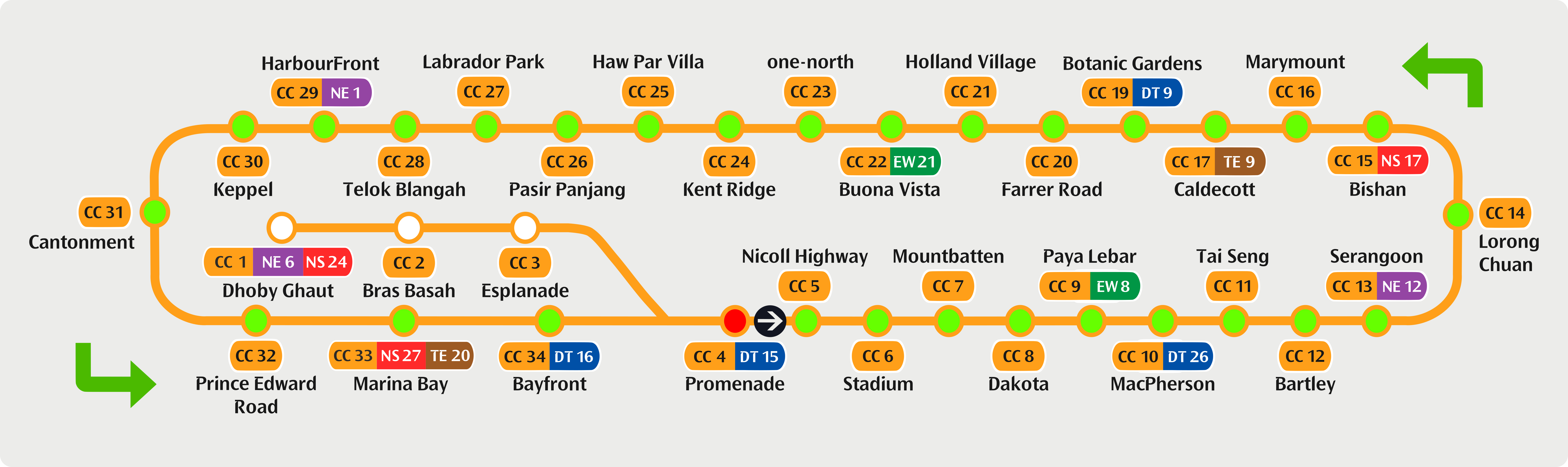
In 2026, the Circle Line Stage 6 (CCL6) expansion will include three additional stations. This development will complete the Circle Line, enabling full loop train services in both clockwise and anticlockwise directions. To enhance connectivity and provide a seamless commuting experience, new features such as improved signage, passenger information displays, and audio announcements are being introduced.
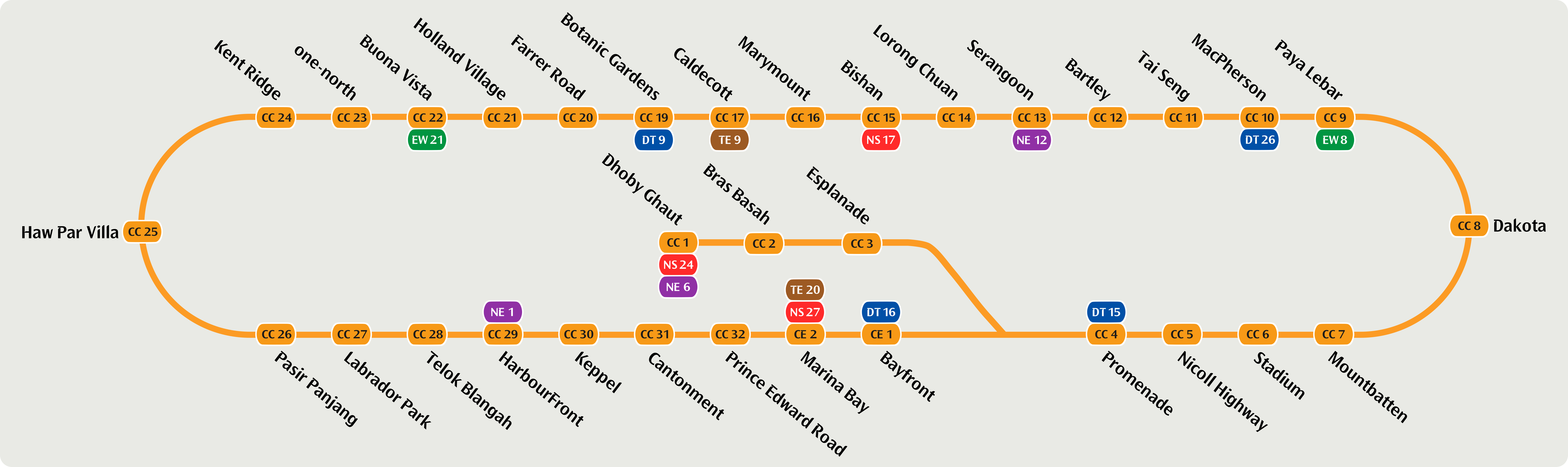
I will showcase my redesigns in different parts, as follows:
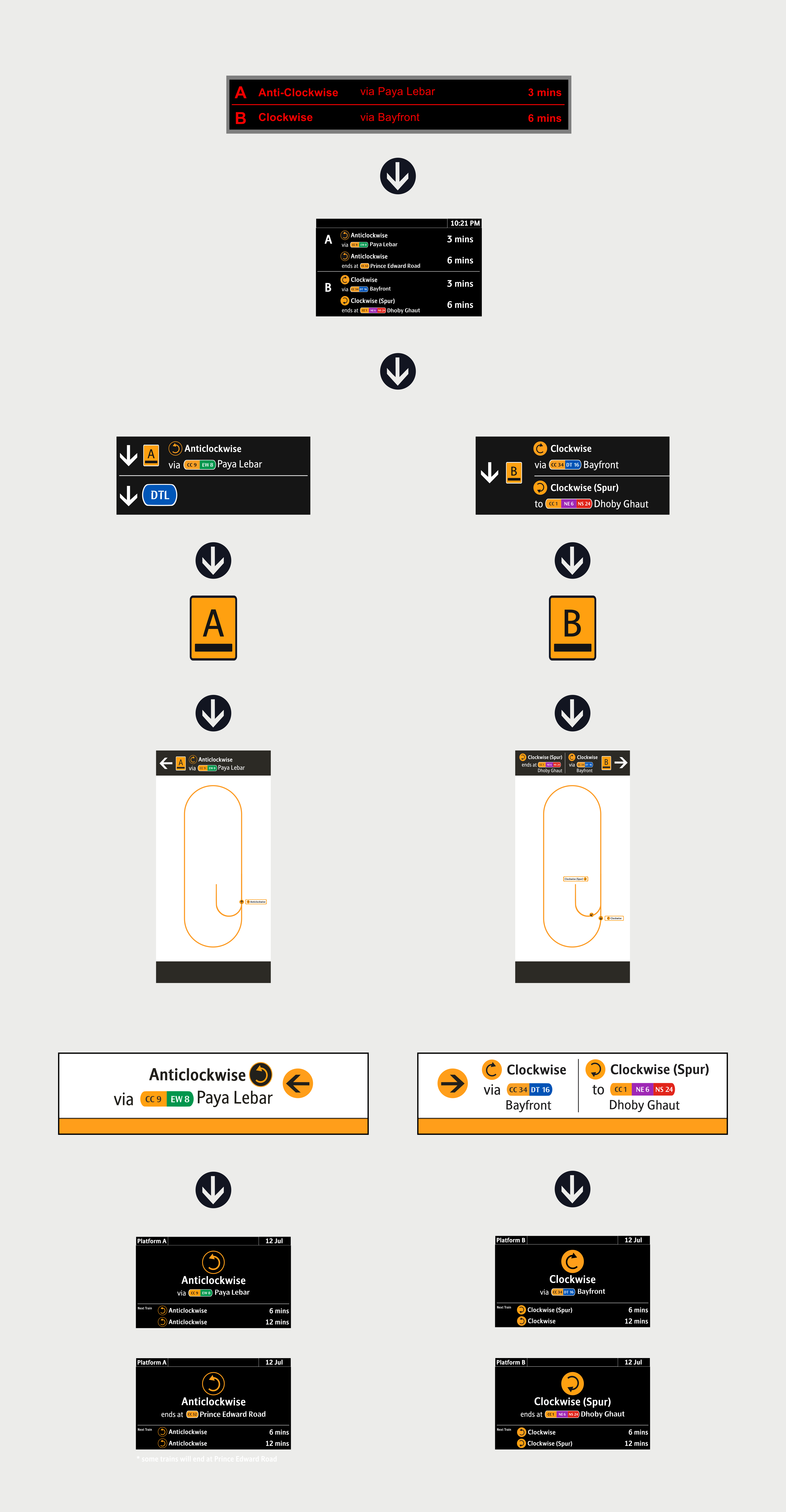
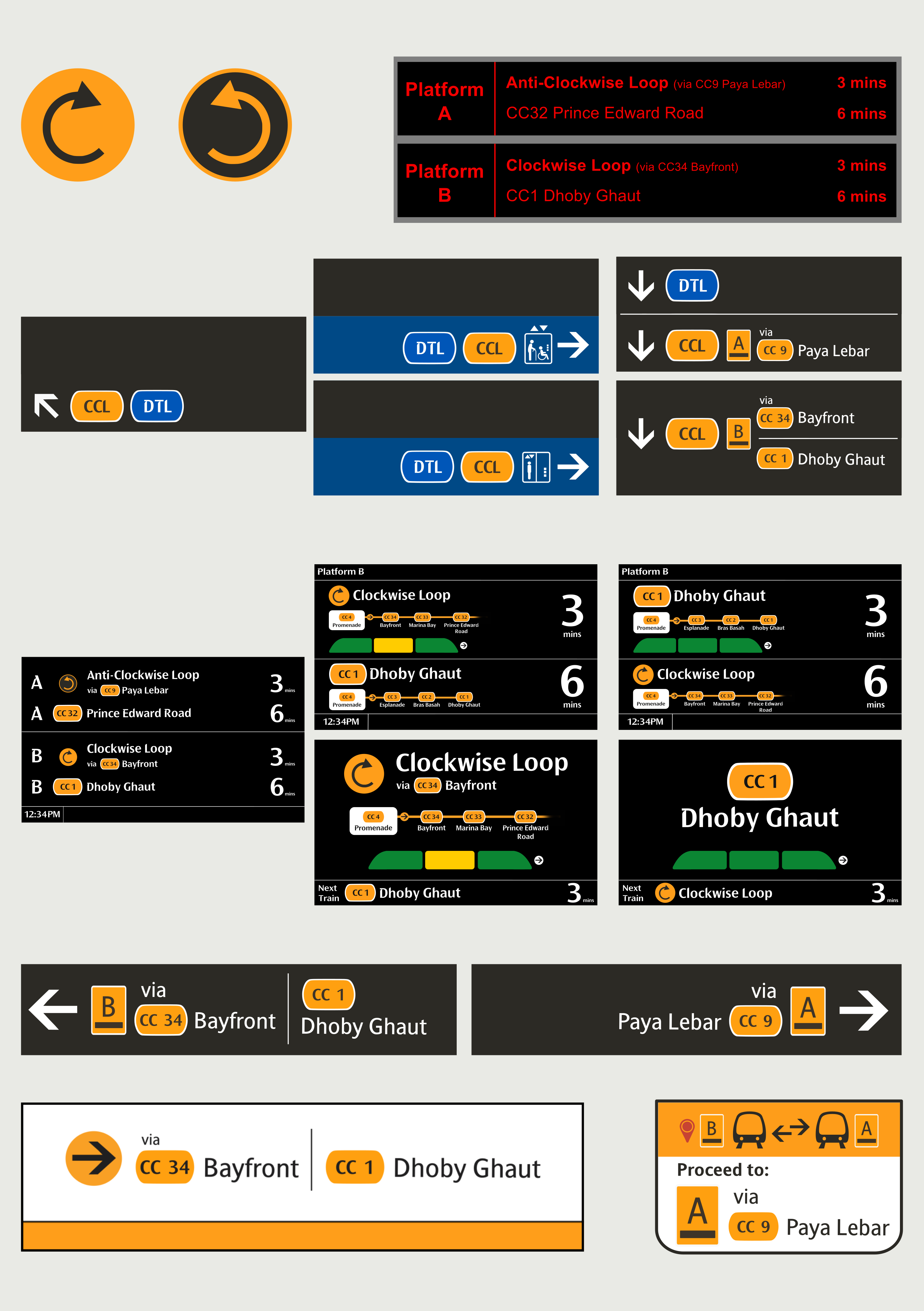
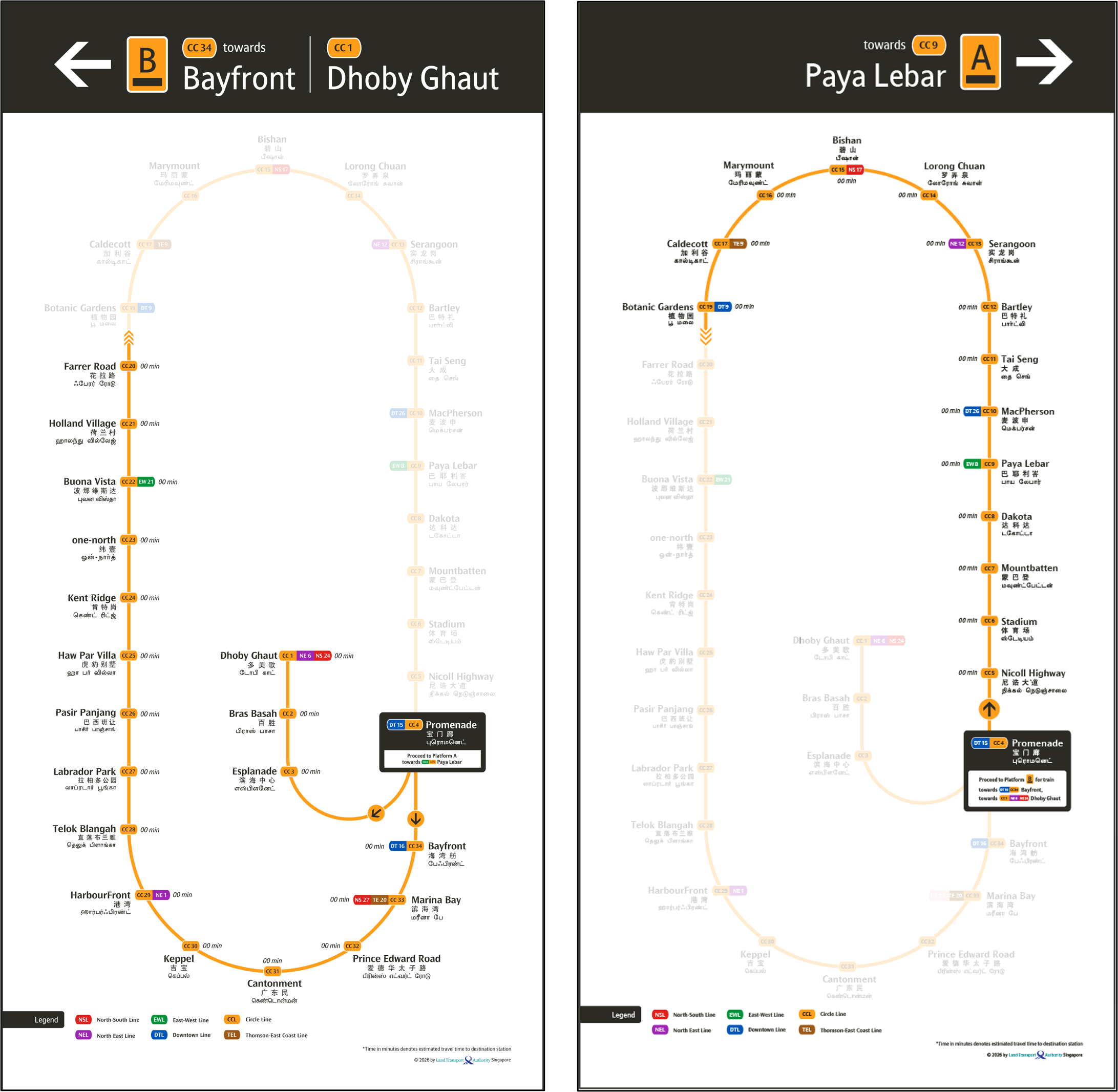
Do note that for all my ideas, I'll be going with the Clockwise/Anticlockwise naming conventions, as well as Loop and Ends At differentiations. Along with it, I introduced 3 new icons - the Clockwise, Anticlockwise, Clockwise (Spur). They are easily distibuishable via the colour of the circle, where the Orange Circle denotes Clockwise, and the Circle with Orange Border denotes Anticlockwise. You will see these consistently throughout the redesign.

To get you started, select a direction variant to view its corresponding route (Example station: Promenade):
• Platform Information (Platform A/B)
• Direction(Clockwise/Anti-Clockwise)
• Loop/Terminus Station (Loop via/Ends at)
• Addition of Bold Formats to selected Texts
• Two variants - one showing each Platforms separately, and another showing both Platforms together
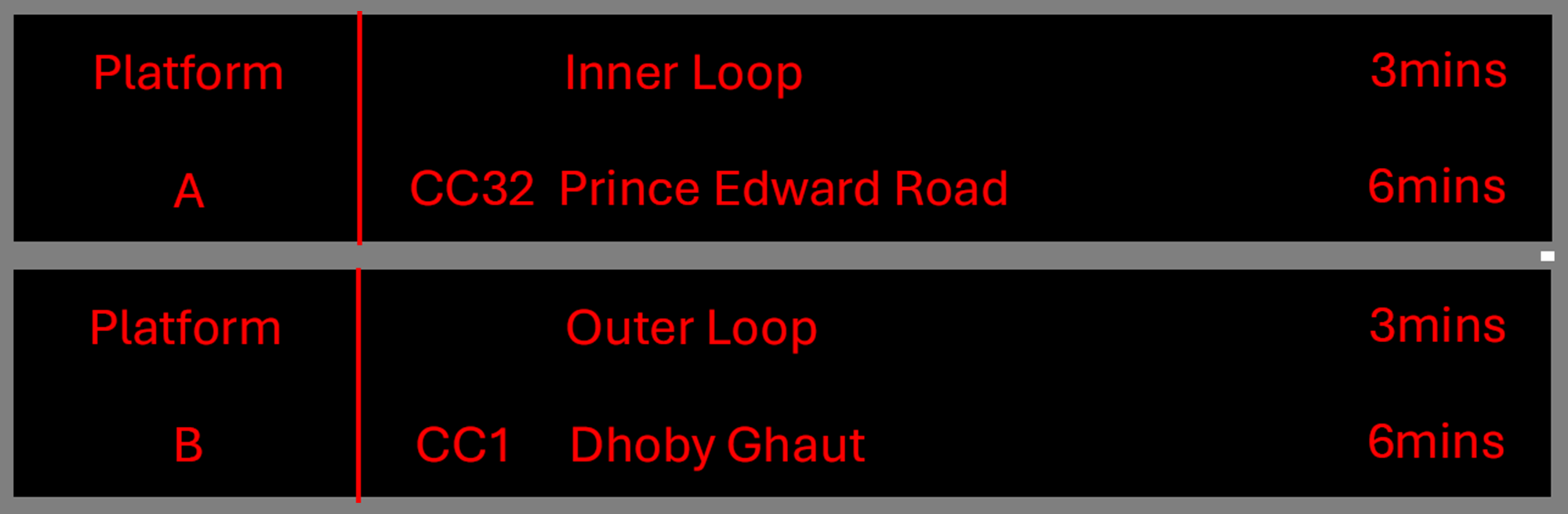
My Redesigned Version - Variant A
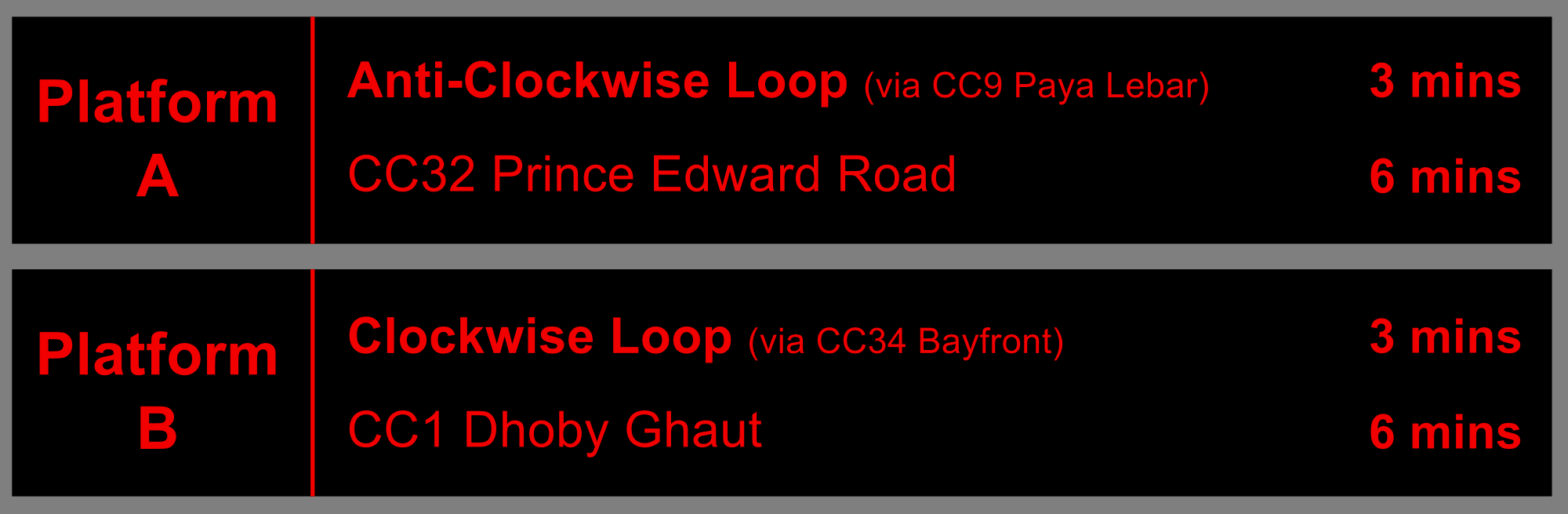
My Redesigned Version - Variant B
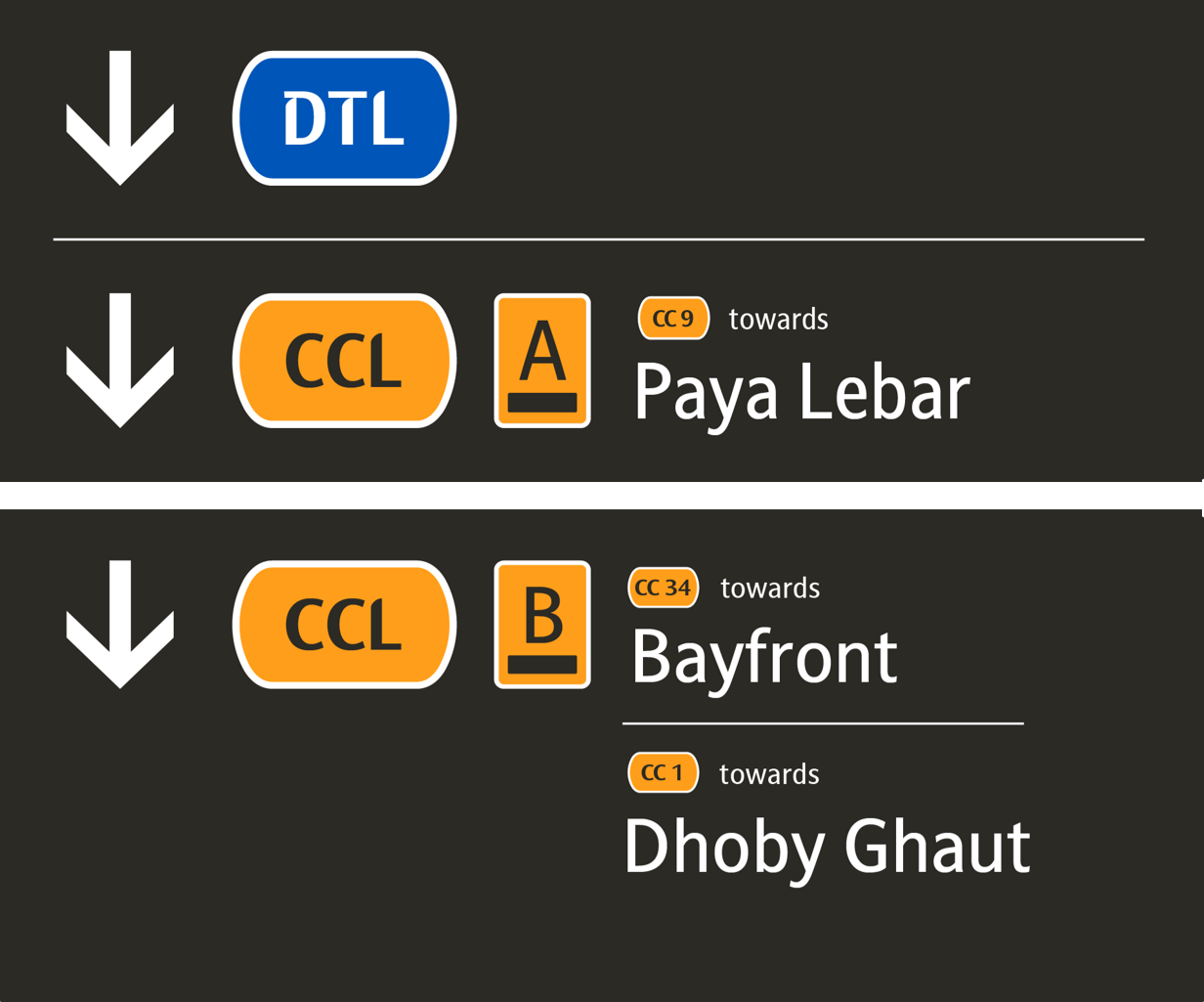
• Dark Grey background
• Simplified icons and elements
• Concise descriptions
• Station name abbreviation and caplets based on the current Wayfinding system
• Blue Background for signages leading to the Lift
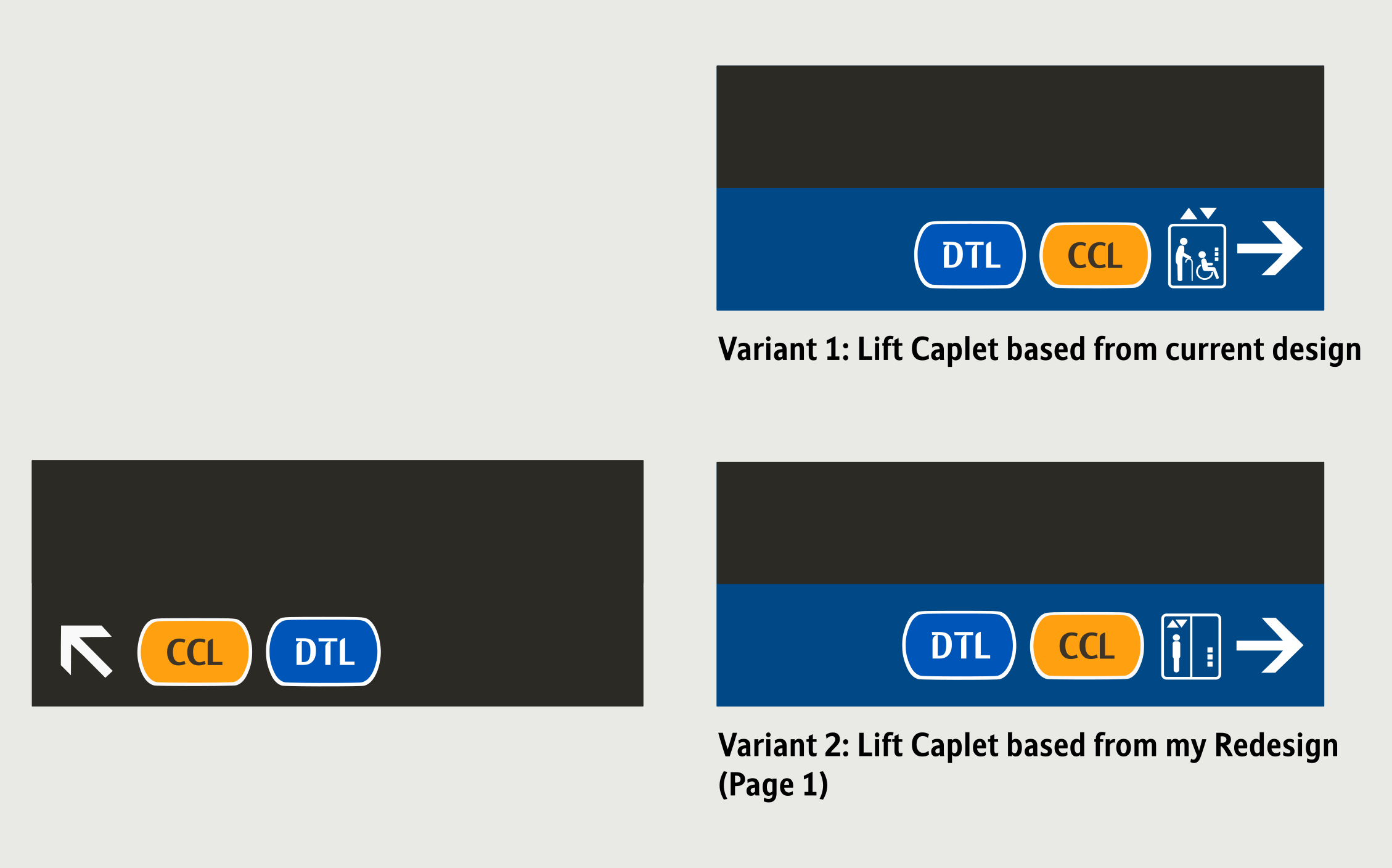
My Redesigned Version
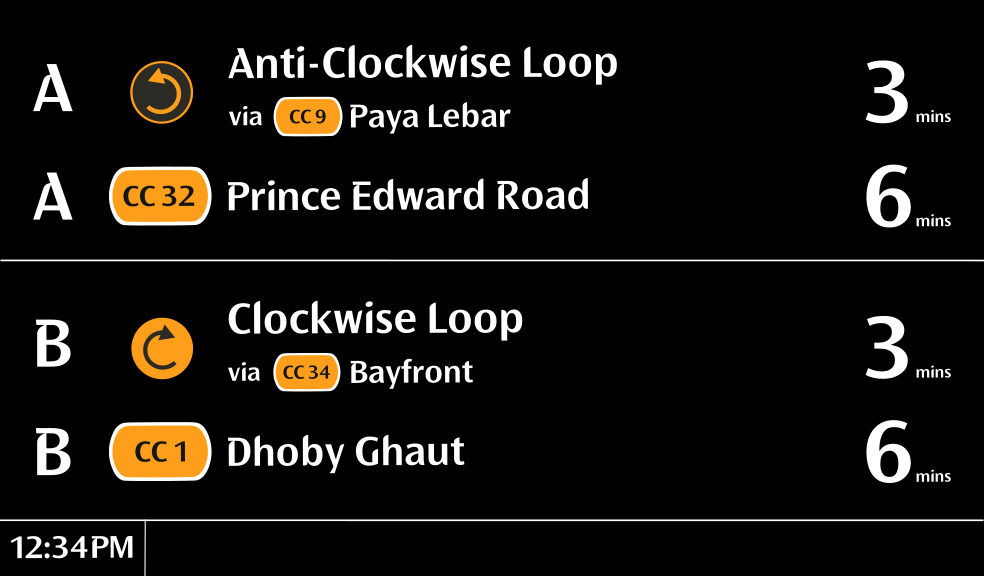
• Black background
• Indication of train service direction - via <-- next interchange station --> for loop
services
• UI is matched exactly to the ones found in TEL - Variant A is for the current system, Variant B is for
when the new system is implemented
• Added the Clockwise/Anti-Clockwise arrows
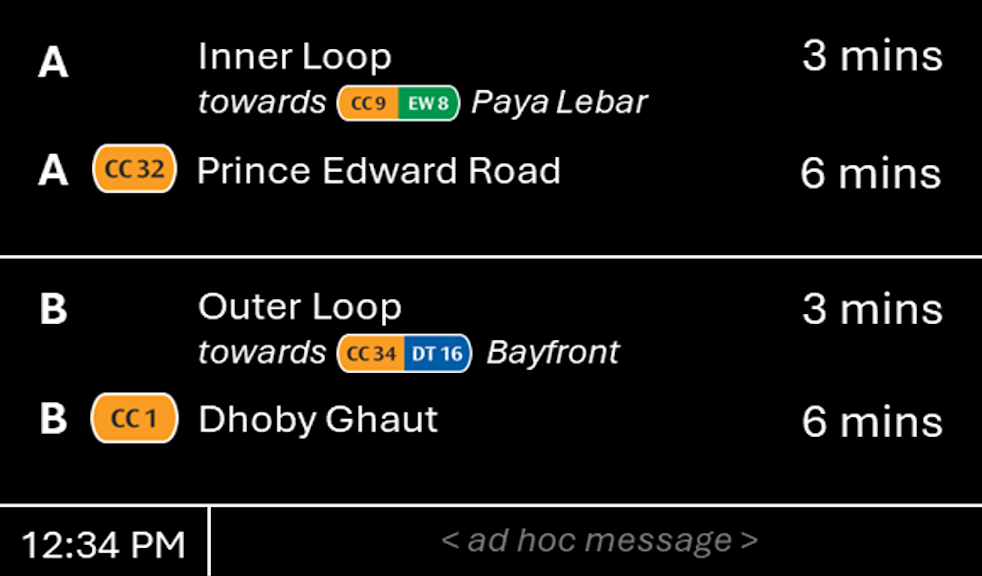
My Redesigned Version - Variant A
My Redesigned Version - Variant B
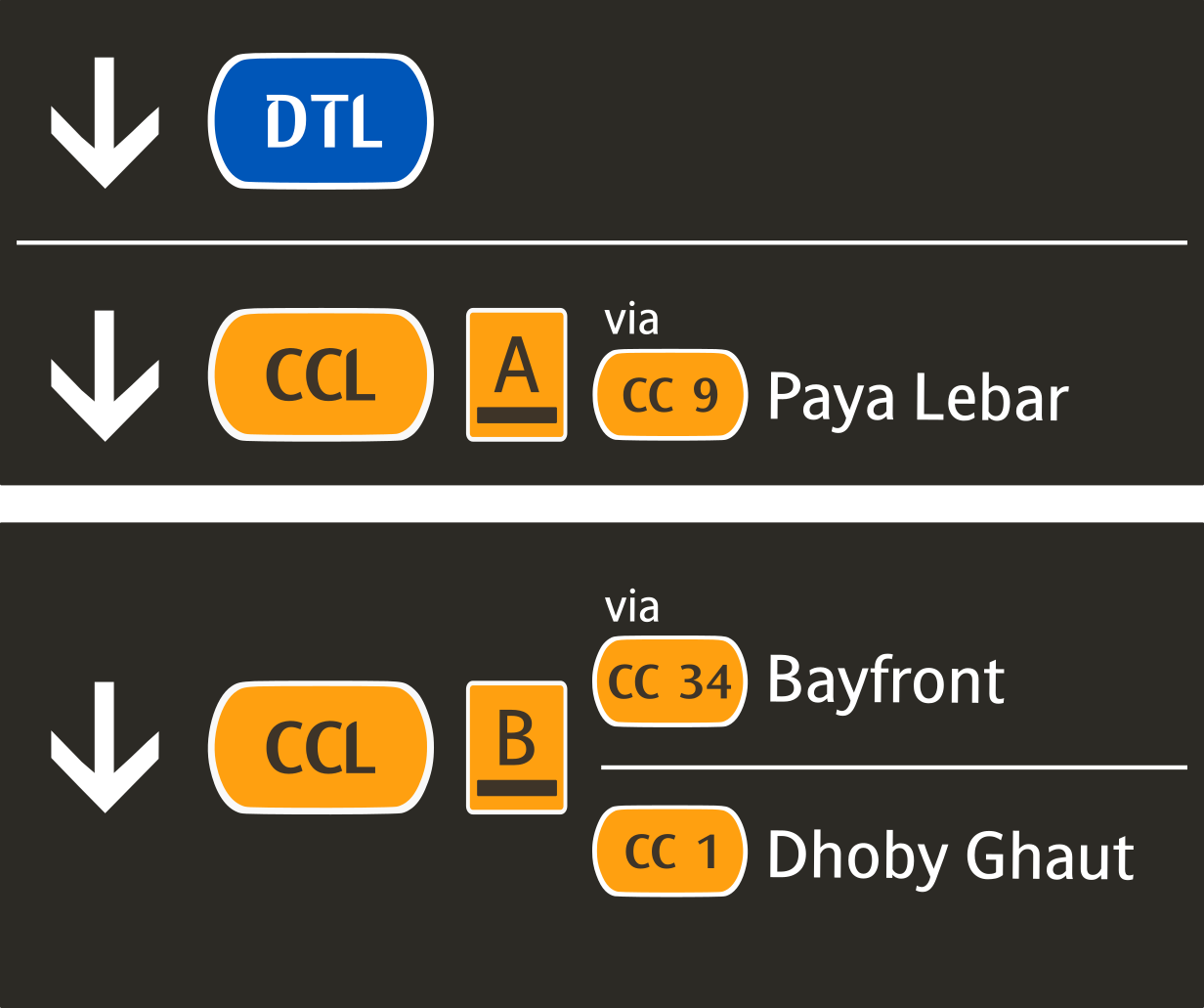
• Added the Clockwise/Anti-Clockwise arrows
• Added the to/via for easier distinction between it being a loop or not.
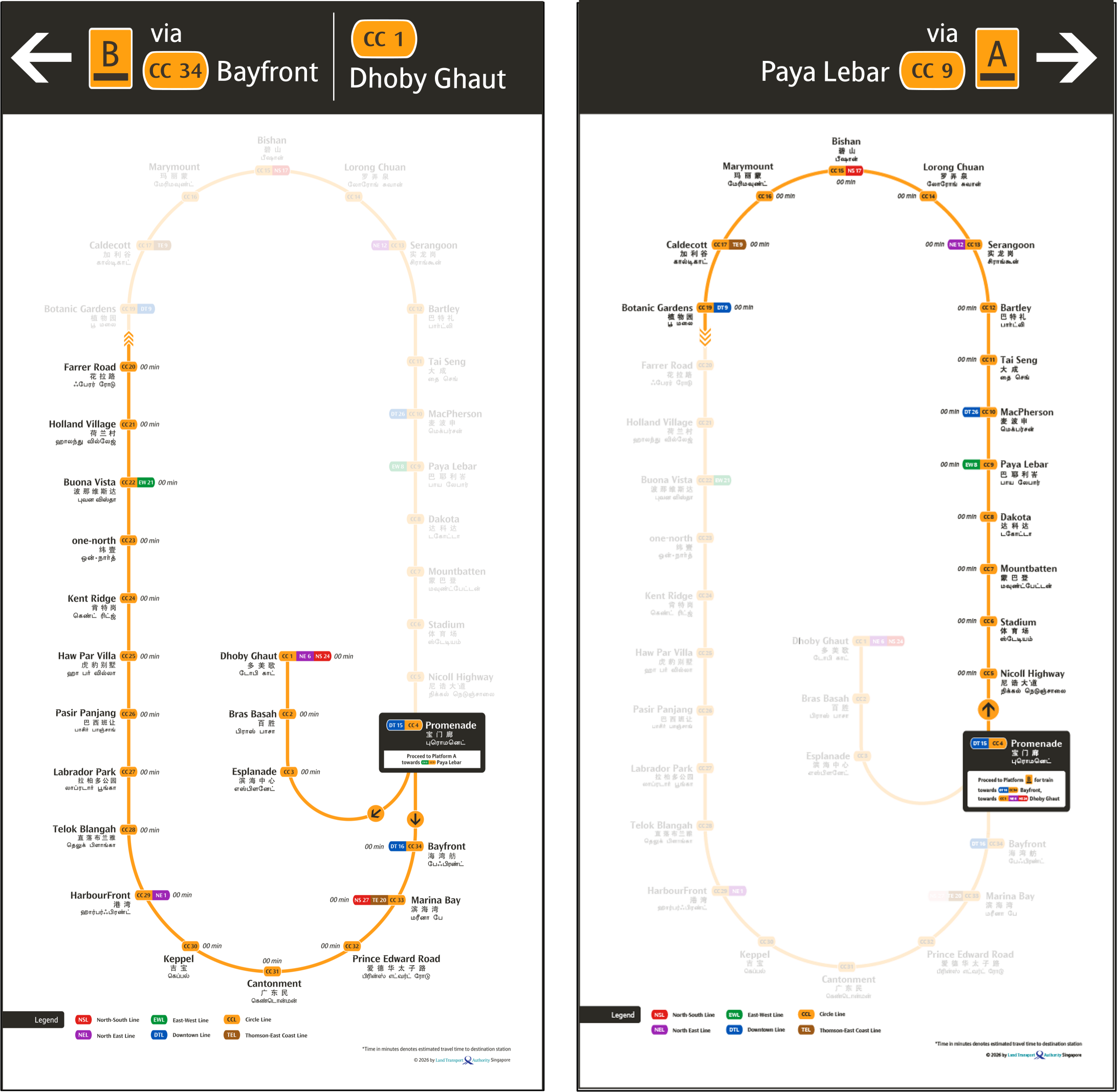
My Redesigned Version - Paya Lebar Variant
My Redesigned Version - Promenade Variant
• Header to show respective Platform ID and next interchange caplet and in a single colour (e.g.
CC34 via Bayfront)
• Introduction of the 4 arrows into the signage system, to provide a more intuitive and consistent
wayfinding experience for commuters.
• Inclusion of the new Clockwise/Anti-Clockwise labels for better route identification.
My Proposed Additions
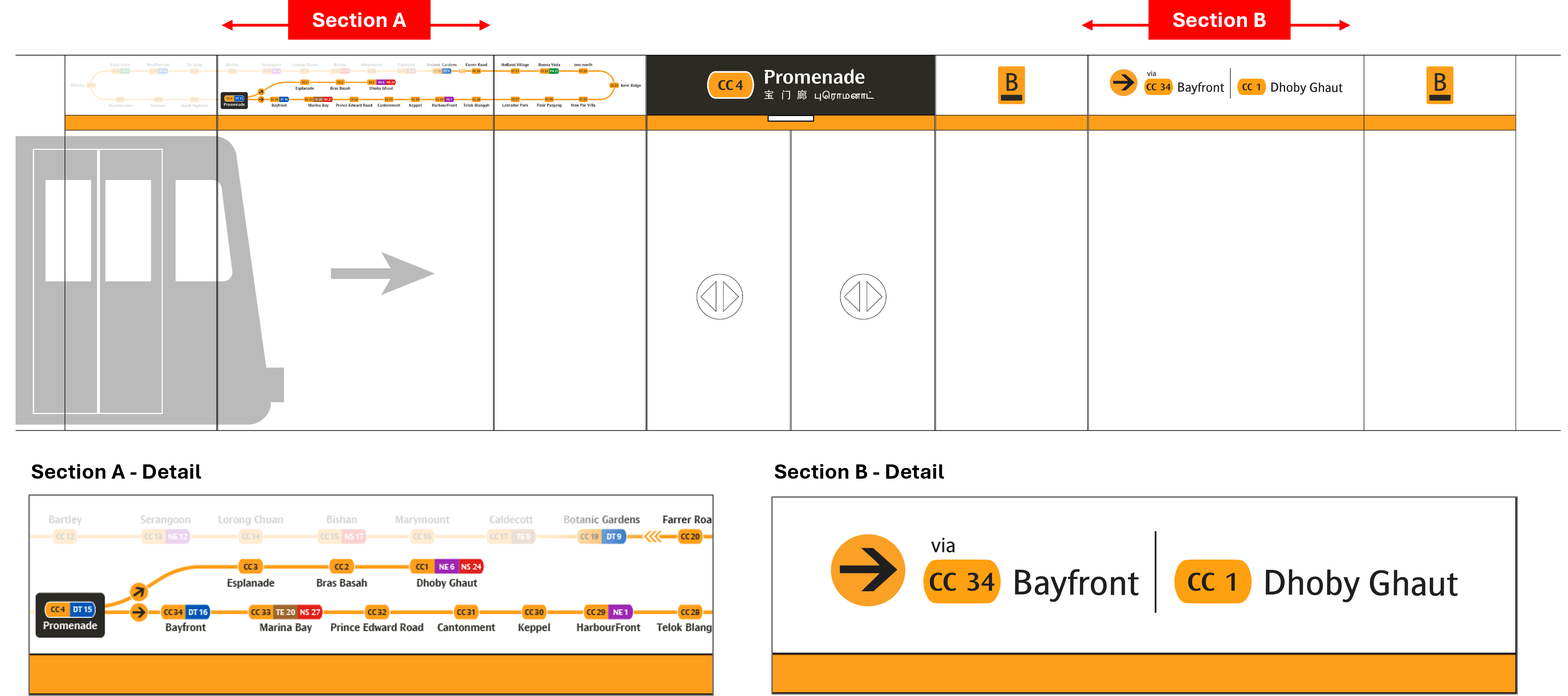
My Redesigned Version
• Indication of train service direction - via <-- next interchange station -->/ to <--
terminal station -->
• Inclusion of the new Clockwise/Anti-Clockwise labels for better route identification
My Redesigned Version
• Black background
• UI is matched exactly to the ones found in TEL - Variant A is for the current system, Variant B is for
when the new system is implemented
• Added the Clockwise/Anti-Clockwise arrows
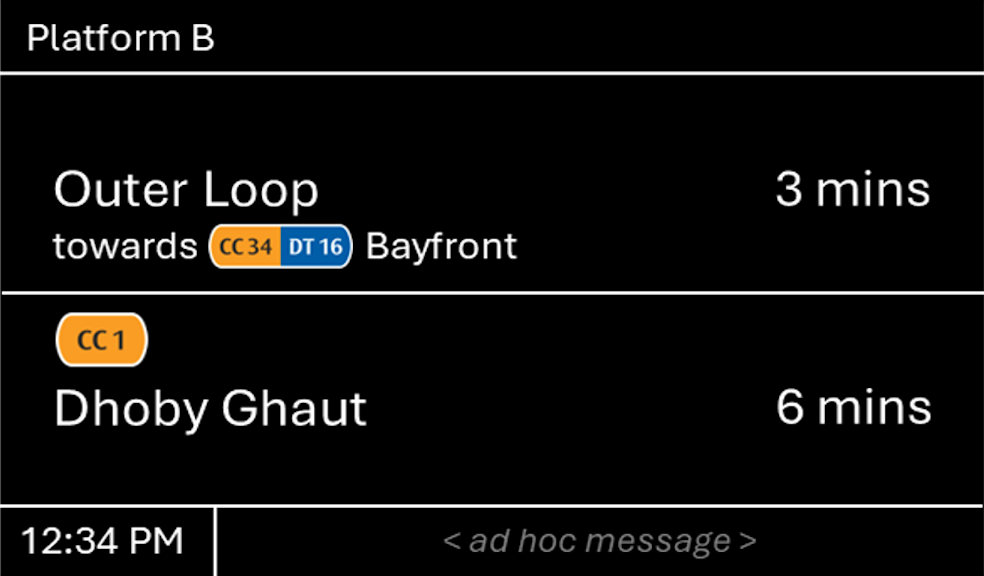
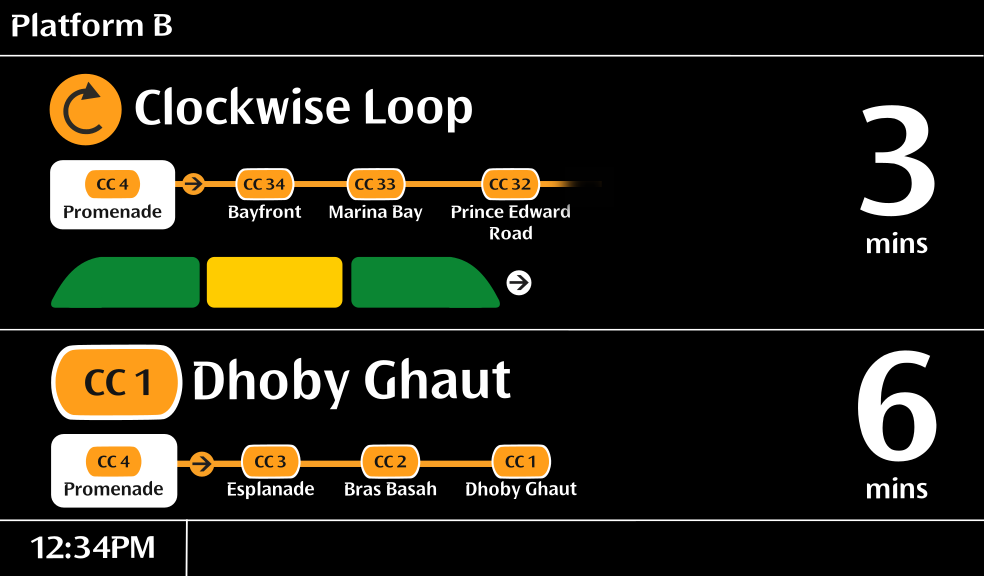
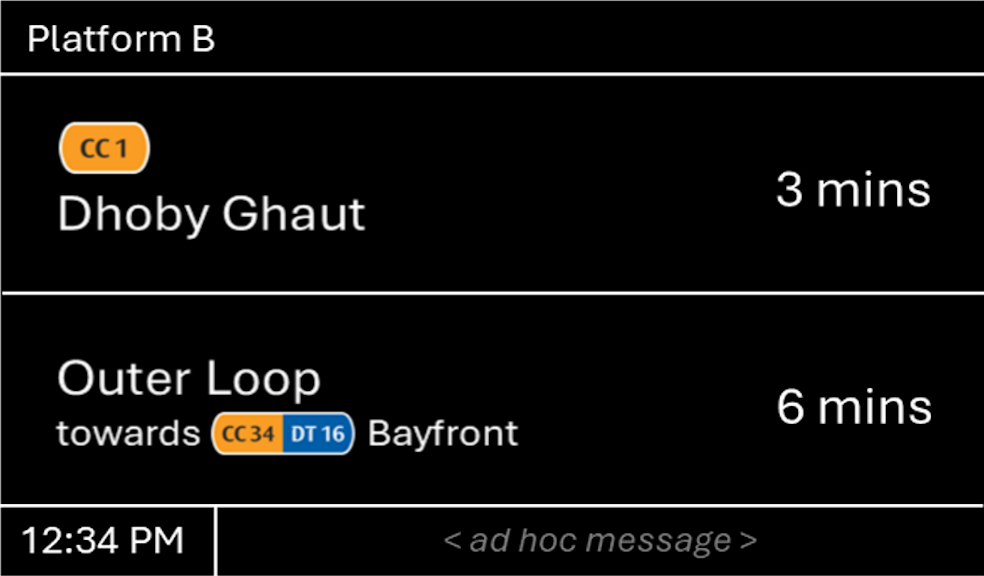
My Redesigned Version - Variant A
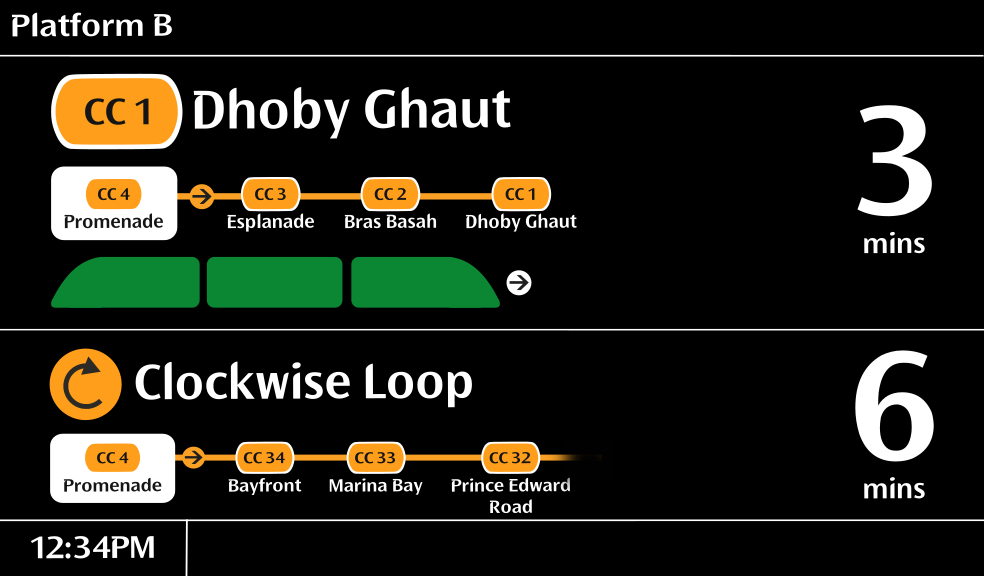
My Redesigned Version - Variant B
• Retained the same elements as the proposed design, with some tweaks:
• UI is matched exactly to the ones found in TEL - Variant A is for the current system, Variant B is for
when the new system is implemented
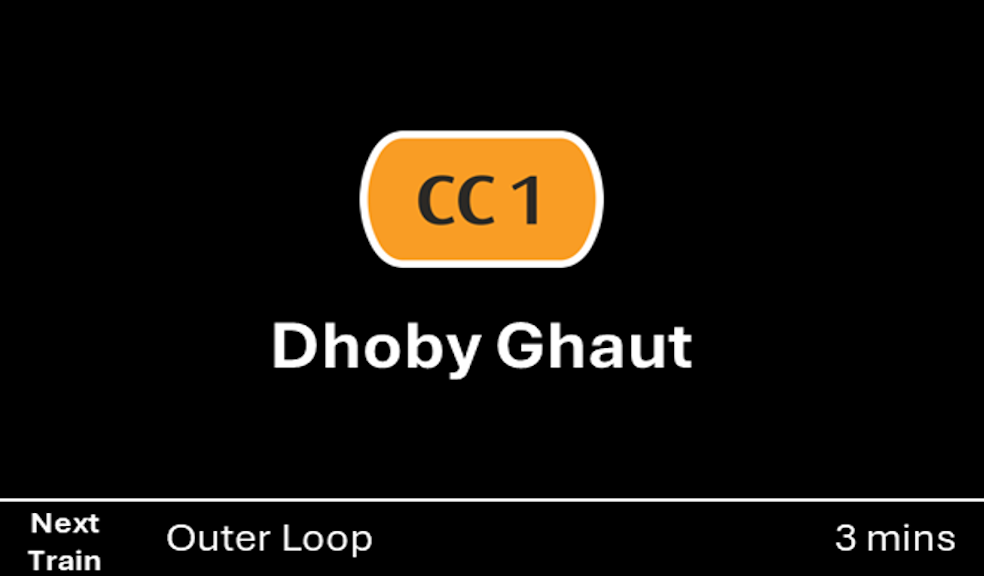
My Redesigned Version - Variant A
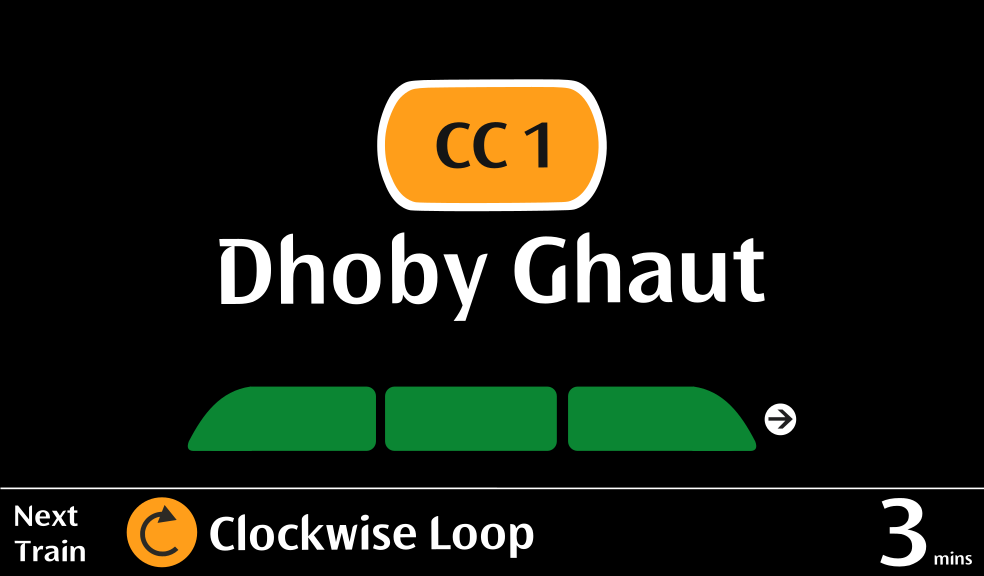
My Redesigned Version - Variant B
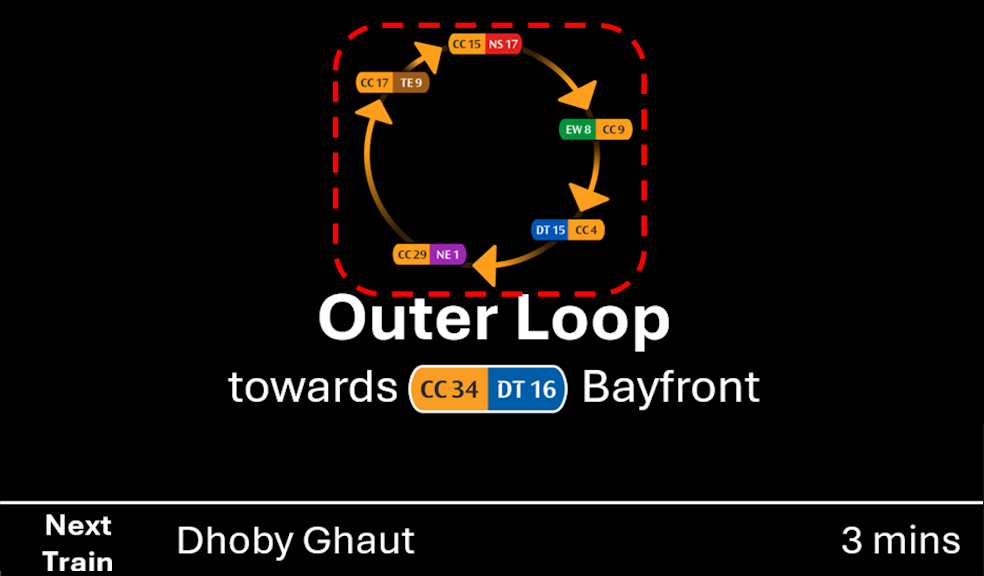
My Redesigned Version - Variant A
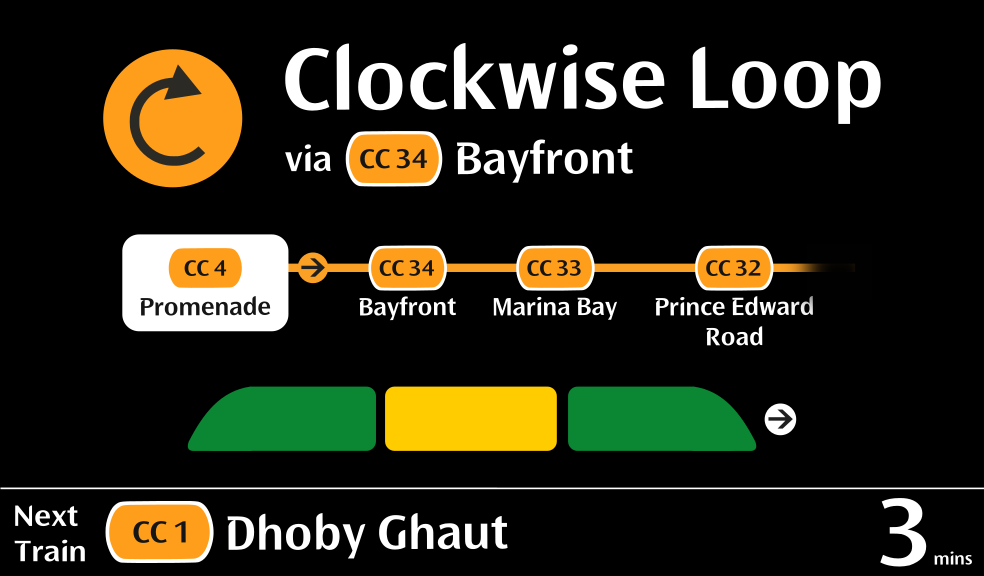
My Redesigned Version - Variant B